
Fonts
The Fonts page lists the fonts your account has installed for its screens. Go to Brand kit → Fonts in the sidebar, or click Manage fonts → in a brand’s Typography section.
You don’t need this page for the common fonts. About fifty popular Google Fonts, such as Poppins, Montserrat, Lora, and Bebas Neue, work everywhere without installing. Install a font here when you want one outside that set, or your own font file.
Only the Account Owner can install and remove fonts.
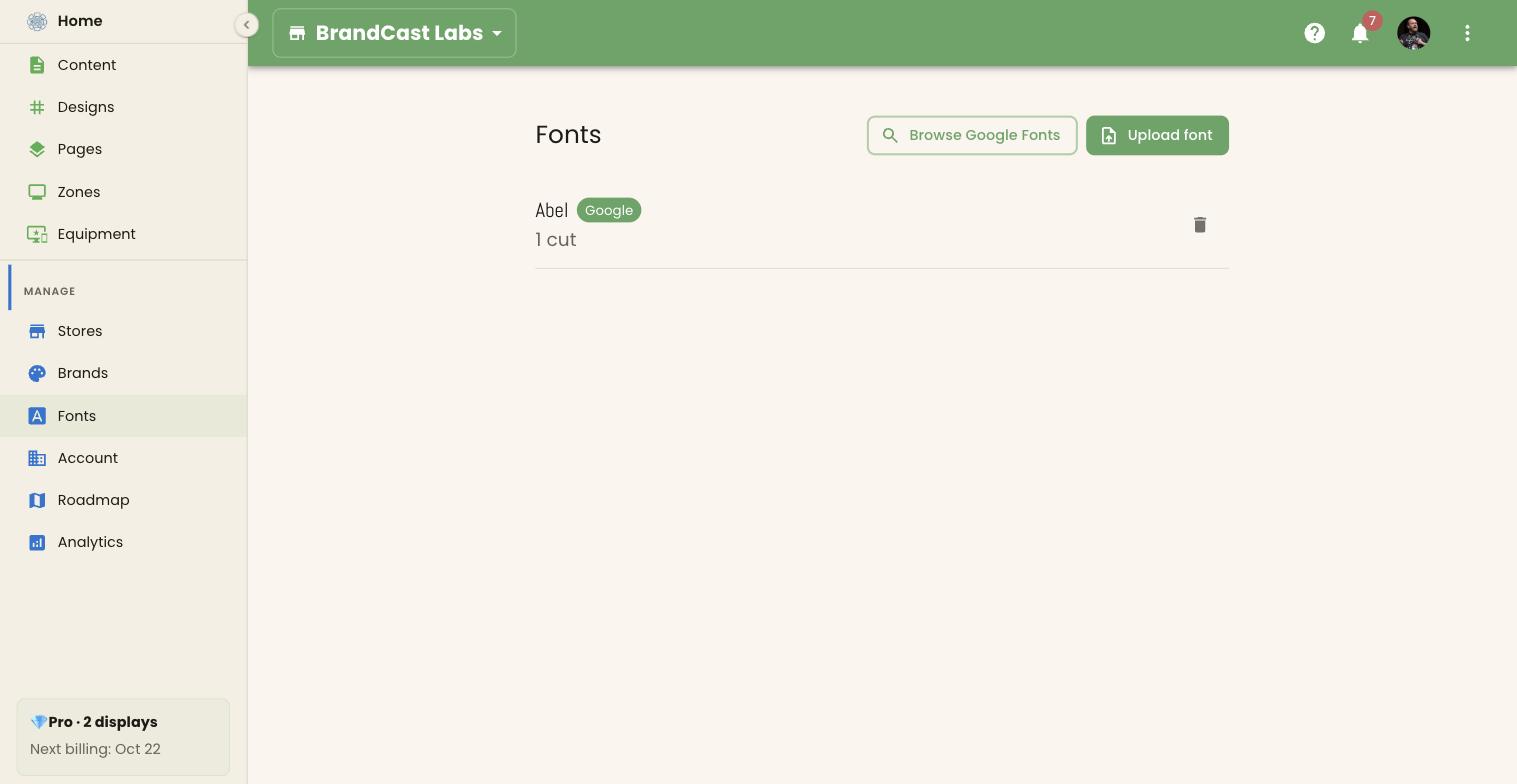
Install a Google Font
Section titled “Install a Google Font”- Click Browse Google Fonts.
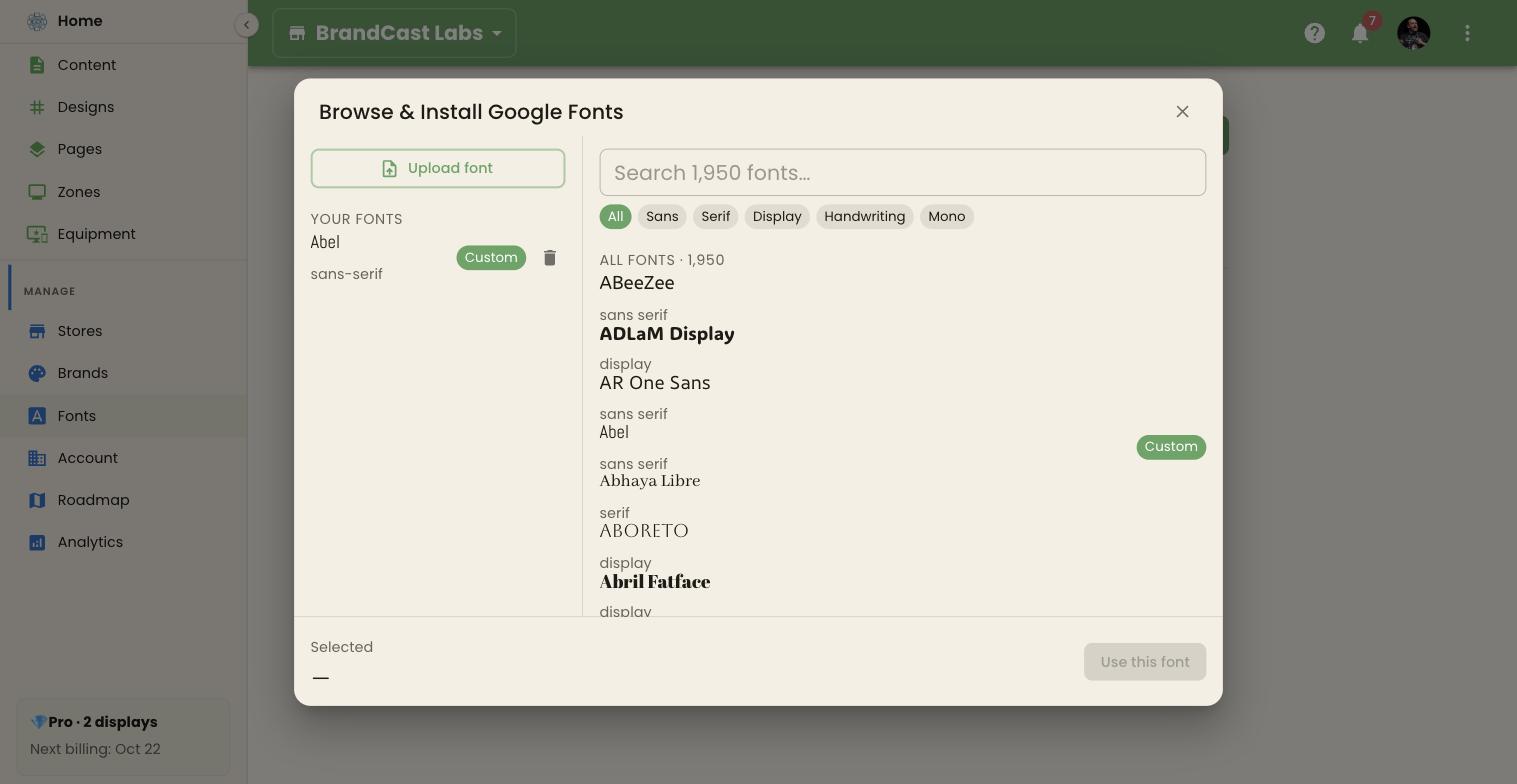
- In Browse & Install Google Fonts, search the catalog by name, or filter it with Sans, Serif, Display, Handwriting, or Mono. Each font is shown in its own typeface.
- Click a font. The footer previews it under Selected.
- Click Use this font.
The font appears in the list with an Installing label while BrandCast prepares it for your screens. That takes a few seconds to a minute. When it’s done, the label changes to Google.
Upload your own font
Section titled “Upload your own font”- Click Upload font.
- Choose one or more
.ttfor.otffiles, or a.zipof them.
Each file can be up to 10 MB, and you can upload up to 20 files at once, including at most one .zip. Uploaded fonts show an Uploaded label once they’re ready. Fonts from the same family are grouped together, and the list shows how many cuts — weights and styles — each family has.
Make sure your font’s license lets you show it on screens in your business.
Use a font
Section titled “Use a font”Fonts are picked where you use them:
- Brand fonts — in a brand’s Typography section, click Change beside the Header Font or Body Font. This opens the same font browser as Browse Google Fonts. Its Your fonts column lists the fonts you’ve uploaded and the ones you used recently, and picking a Google Font that isn’t installed yet installs it. See Brands and the brand kit.
- One text area — its font menus in the Design editor list the ready-to-use fonts and every font your account has installed. See The Design editor.
Remove a font
Section titled “Remove a font”Click the bin beside a font family. It’s removed straight away, without asking first. Text that uses it falls back to a default font on your screens.